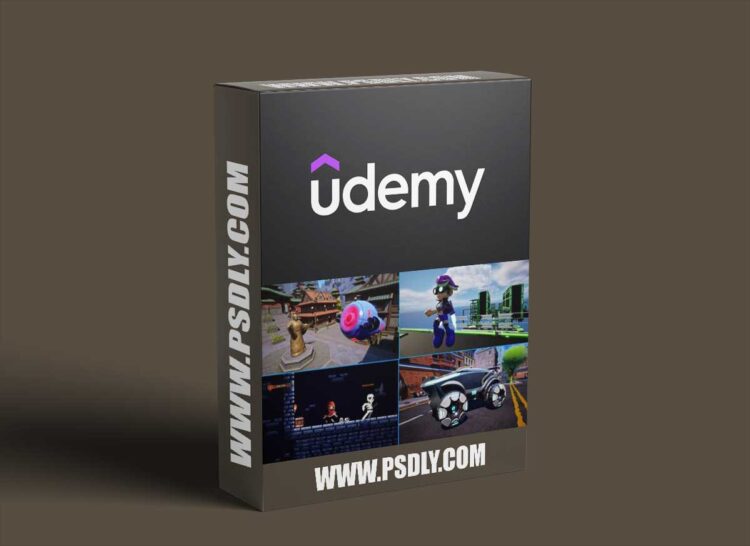
This is the Ultimate Blueprint course for Unreal Engine 5.
In this course, you will start with absolutely no experience in game development whatsoever. All of the important terms and concepts in game development will be introduced to you and explained carefully and in detail. By the end, you will have four small game projects of different genres, ranging from 2D to 3D, and you’ll understand the underlying principles needed to make any creation you can imagine.
The course starts you off as a complete beginner, but experienced developers will also benefit from this course, as many best practices and advanced features are covered throughout.
The course begins at the beginning – downloading the Epic Games Launcher, where we will install Unreal Engine 5, as well as gain access to the Epic Games Marketplace where we can get tons of free, high-quality assets for our games. After familiarizing ourselves with the Unreal Engine editor, learning about asset types and how to import asset files, we get some practice manipulating objects in the level and building simple game environments with free asset packs.
We then get started learning the basic structure of the Blueprint visual scripting system, as well as cover the fundamental math skills every game developer needs to understand. We get practice visualizing vectors in the engine with the various debug drawing Blueprint nodes.
With the original assets created specifically for this course, we then create our first simple game, Bad Bot – a drone flying shooter. We cover the fundamentals of Unreal Engine’s class hierarchy, learning about the various game classes that come together to form a basic game – including the Actor, the Pawn, the Game Mode, and the Controller. We learn how to bind inputs from keyboard, mouse, and console controller using Unreal Engine’s Enhanced Input System. This project covers spawning enemy bots, firing projectiles, and adding sound and visual effects such as impacts and explosions, before finishing the level with a boss fight.
We then dive deep into Unreal Engine’s collision framework, with a section dedicated to the collision system in Unreal Engine. We learn how Unreal Engine handles collision, including knowledge of:
- The physics system versus the query system
- Collision Complexity and how meshes can have both simple and complex collision and how to configure these
- How the method of movement determines the type of interactions objects will have with each other
- Sweeping collisions versus physics collisions
- Collision Enabled, Collision Object Types, and Collision Responses, and how these work together
- Custom collision channels, custom collision profiles, and optimization for performance
By the end of this chapter, Unreal Engine’s collision framework will be completely demystified and you’ll easily be able to configure the collision settings correctly so that your game object interact as intended, optimized for performance, and without invisible collision interactions affecting the game’s frame rate.
With our newly-acquired collision skillset, we start the second game project of the course, Jetpack Journey – a third-person platformer with Kix, an original character created, rigged, and animated for this course. Kix has a jetpack, allowing us to step up our complexity, going from the Pawn class to the Character class. We learn about the Character Movement Component, and how to change movement modes from walking to flying. We implement a fully-functional jetpack with a blendspace, allowing for smooth blending of animations while flying. This project involves creating precious resources in the form of jet fuel, allowing us to implement pickups to refuel, a progress bar for the fuel percent, and moving platforms that force the player to use the flying capability. We learn about some very important concepts in this section, including:
- Movement modes, and switching to flying mode
- Single and two-dimensional Blendspaces to blend between animation poses
- Binding inputs in the Player Controller versus the Character class
- Keeping Blueprint nodes clean and readable
- Managing class dependencies and coding best practices – we’re using Blueprints, but we should still follow best practice!
- Skeletal Mesh Sockets, utilized for jetpack thruster effects
- Enforcing precious resources in the form of jet fuel, with jet fuel pickups to refill fuel
- Use of UMG (Unreal Motion Graphics) to create UI including a progress bar to display fuel percent
- The impact of Casting on runtime performance and memory via the creation of hard references
- Analyzing class memory size via the size map, and dependencies via the reference viewer
- Reducing file size with texture compression
- Lazily loading of assets at runtime and how to load assets asynchronously, using soft object and class references
- Lighting and Post Processing
This section covers many important aspects of game development that even experienced developers aren’t aware of. You’re verging on intermediate-to-advanced territory with some of these!
The next game project introduces Unreal Engine’s 2D capabilities, as we enable the built-in Paper2D plugin for 2D games. We also download the now-free PaperZD, a very important 2D plugin allowing us to use important 2D features for our games. This section’s game project is a 2D dungeon-crawling side-scroller with Red Hood, a hooded 2D figure who ventures through a dark dungeon, battling skeleton minions via melee combat. We cover some valuable ground in this section, including:
- Where to get free 2D assets, including animated characters, props, UI and environments
- Creation of sprites, flipbooks, tile sets and tile maps
- Important settings for a 2D Unreal Engine game project
- 2D level creation
- Enemy AI with the Behavior Tree and Blackboard
- Combat and combo attacks
- Use and creation of the compound data types such as enums and structures
- Floating damage numbers
- Implementing melee combat
By this point, you will have the skills necessary to create your own game projects, but we’re not quite done yet. We wrap up the course with a final section on Unreal Engine’s Chaos Vehicles! Chaos Vehicles are Unreal’s physics-based vehicle system. We use original assets created specifically for this course, importing a sci-fi car and wheels into the engine. We use the engine’s built-in rigging tools to create a skeleton and skin it to the mesh, before creating a fully-functional chaos vehicle. We end by implementing enter/leave functionality for the car, by migrating the vehicle into our Jetpack Journey project so Kix can enter and leave the vehicle. We learn:
- Creation of Skeletal Meshes from Static Meshes
- Rigging and skinning, creating a vehicle skeleton and physics asset
- Creation of a fully-functional chaos vehicle with keyboard/mouse and console controller input (using Enhanced Input)
- Coverage of Chaos Vehicle settings including torque/rpms, friction, front/rear/all-wheel drive, front/rear wheel steering, and more
- Migrating the vehicle into our Jetpack project
- Changing possession of Pawns/Characters to enter and exit the vehicle.
By the end of this course, you will have gone from absolute beginner to having intermediate/advanced skills. You will understand the principles necessary to create game projects on your own. You will have hands-on practice, as well as theoretical knowledge underlying every tool and concept used throughout this course.
You will also have access to our Druid Mechanics Discord Community, a community of over 23,000 students of all skill levels, all interacting, conversing, and helping each other throughout their game development journeys.
After this course, you will fully understand Unreal Engine’s architecture and class hierarchy. If your aim is to develop your own games, or even to further your career or learning journey, or move on to tackle Unreal’s C++ system, this course will prepare you and equip you with the skills needed to do so.
You will gain lifetime access to the course for a single, one-time fee. You will have access to all updates and patches made to the videos.
If you’re ready to learn how to make your own games, this course is ready for you.
See you soon!






