Source
https://www.fab.com/listings/083307a6-6f0e-439e-b12a-44afef1a4d0b
Category
File Size
20.5 GB
Publisher
ThunderOwl Studios
Updated
October 13, 2025
Description
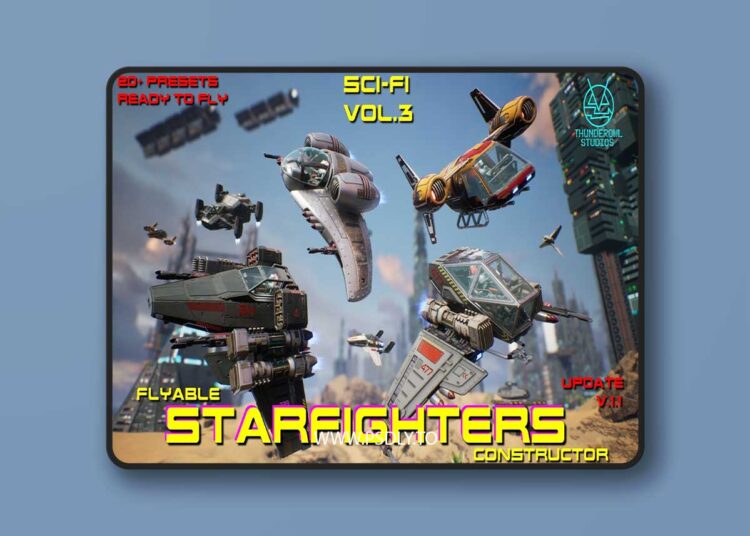
When Project started, you will be in Space City demo map, with showcase-launcher running in “auto” mote, changing pre-made Starfighters examples (this showcase launcher will be also in several other demo maps).
- You can stop auto-changing by pressing cursor key “Down” (also you see instructions on map).
- In stopped mode, use keyboard cursors “Left” and “Right to browse pre-configured Starfighters.
- You can restart auto-changing by pressing cursor key “Up”.
- By pressing “Spacebar” on keyboard, you will possess current displayed Starfighter, and it will be in “Flight Mode”.
- In flight, press key “H” for on-screen list for available actions and options.
Preview
2 images 1 / 2

2 / 2

Download Files
Part 11000.0 MBPart 21000.0 MBPart 31000.0 MBPart 41000.0 MBPart 51000.0 MBPart 61000.0 MBPart 71000.0 MBPart 81000.0 MBPart 91000.0 MBPart 101000.0 MBPart 111000.0 MBPart 121000.0 MBPart 131000.0 MBPart 141000.0 MBPart 151000.0 MBPart 161000.0 MBPart 171000.0 MBPart 181000.0 MBPart 191000.0 MBPart 201000.0 MBPart 21579.9 MB
![Yellow Parrot Restaurant ( Restaurant Cafe Pub Diner Bar Dining Kitchen Parrot ) [5.2 – 5.8]](https://www.psdly.site/wp-content/uploads/2026/10/Yellow-Parrot-Restaurant-Restaurant-Cafe-Pub-Diner-Bar-Dining-Kitchen-Parrot-5.2-–-5.8-350x250.jpg "Yellow Parrot Restaurant ( Restaurant Cafe Pub Diner Bar Dining Kitchen Parrot ) [5.2 – 5.8] 4")