GET UNLIMITED DOWNLOADS
Join Telegram
DMCA -Urgent Content Remove
PSDLY.COM
  • Photoshop
    • Mockups
      • Logo Mockups
      • T Shirt Mockups
      • Business Card
      • Branding Mockups
      • Stationery Mockups
      • Flyer/Poster Mockups
      • Bill-Board Mockups
      • Product Mockups
      • Brochure Mockups
      • Device Mockup
    • Lightroom Preset
    • Photoshop Actions
    • Brushes & Gradient
    • Patterns
    • Textures
    • Templates
  • Videohive
    • After Effect
      • Broadcast Packages
      • Elements
      • Infographics
      • Logo Stings
      • Titles
      • Openers
      • Product Promo
    • Premiere Pro
    • DaVinci Resolve
    • Footage
    • Apple Motion
    • VIP Templates
  • Fonts
  • Luts
  • Sounds
    • Loops
    • Sound Effect
    • Sound FX
    • Refills
  • Courses
    • After Effects Tutorials
    • WSO Tutorials
    • 3D Tutorials
    • Drawing & Painting
    • Film & Media
    • Flash Tutorials
    • Music Learning
    • Photoshop Tutorials
    • Photography
    • Programming
    • Sound & Production
    • Game Devolopment
    • Ai Courses
    • Web Design Tuts
    • Other Tutorials
  • 3D Models
    • 3ds Max
    • Maya
    • Daz 3D poser
    • Game Assets
    • Cinema 4D
  • Plug-ins
    • AE Plugin
    • Photoshop
    • Illustrator
    • Cinema 4D
    • 3D Max
No Result
View All Result
PSDLY.COM
  • Photoshop
    • Mockups
      • Logo Mockups
      • T Shirt Mockups
      • Business Card
      • Branding Mockups
      • Stationery Mockups
      • Flyer/Poster Mockups
      • Bill-Board Mockups
      • Product Mockups
      • Brochure Mockups
      • Device Mockup
    • Lightroom Preset
    • Photoshop Actions
    • Brushes & Gradient
    • Patterns
    • Textures
    • Templates
  • Videohive
    • After Effect
      • Broadcast Packages
      • Elements
      • Infographics
      • Logo Stings
      • Titles
      • Openers
      • Product Promo
    • Premiere Pro
    • DaVinci Resolve
    • Footage
    • Apple Motion
    • VIP Templates
  • Fonts
  • Luts
  • Sounds
    • Loops
    • Sound Effect
    • Sound FX
    • Refills
  • Courses
    • After Effects Tutorials
    • WSO Tutorials
    • 3D Tutorials
    • Drawing & Painting
    • Film & Media
    • Flash Tutorials
    • Music Learning
    • Photoshop Tutorials
    • Photography
    • Programming
    • Sound & Production
    • Game Devolopment
    • Ai Courses
    • Web Design Tuts
    • Other Tutorials
  • 3D Models
    • 3ds Max
    • Maya
    • Daz 3D poser
    • Game Assets
    • Cinema 4D
  • Plug-ins
    • AE Plugin
    • Photoshop
    • Illustrator
    • Cinema 4D
    • 3D Max
No Result
View All Result
PSDLY.COM
No Result
View All Result
Home Film & Media

Coloso – After Effects Stylizing Skills for Creating a Trendy Portfolio

November 9, 2026
in Film & Media, Free Course, Tutorials
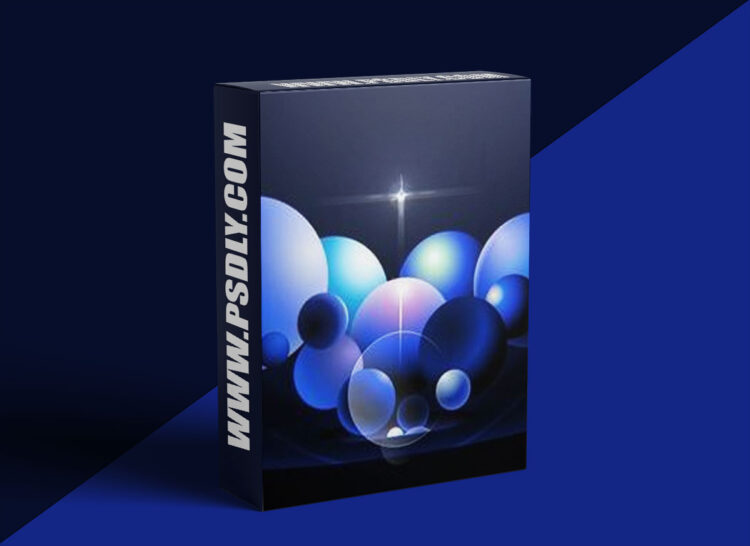
Coloso - After Effects Stylizing Skills for Creating a Trendy Portfolio
Source
https://coloso.co.kr/products/motiongraphic-aflow
Category
Film & Media
File Size
42.7 GB
Publisher
coloso
Updated
November 09, 2026
Description

Learn the most trendy After Effects skills right now, such as styling, fake3D, and texture implementation, with aflow.

Curriculum

  • 17. Animation Basics & Motion Warm-up
  • 01. Introduction to the Lecture
  • 1. Instructor Introduction
  • 2. Introduction to Course Plan and Direction
  • 02. Portfolio Planning
  • 1. Ideation Methodology & Process
  • 2. Simple Theory of Storytelling & Application of Motion Graphics
  • 3. The Role of Conti and Storyboards
  • 03. Light, Color, and Layout
  • 1. Basic Theory of Light Required for Stylizing
  • 2. Basic Theory of Color
  • 3. How to compose a trendy color palette
  • 4. Object Placement and Effective Layout Configuration Methods
  • 04. Visualization and Scene Configuration
  • 1. The Concept of Stylizing
  • 2. Introduction to Various Styles
  • 3. Stylizing Selection
  • 4. Portfolio Color Palette Composition
  • 05. After Effects Overview
  • 1. Introduction to Basic Functions and Shortcuts
  • 06. Artwork Production 01 : Material Variation 01
  • 1. Understanding the Concept of Materials in Actual 3D Rendering (PBR Render)
  • 2. Feature extraction of various attributes such as Glossiness and Transparency & 2D implementation method
  • 3. Practice applying various materials to a single base shape
  • 07. Artwork Production 02: Material Variations 02
  • 08. Artwork Production 03 : Stylizing Variations 01
  • 1. Base style frame layout configuration utilizing various shapes
  • 2. Flat 2D Stylizing with Minimal Materials
  • 09. Artwork Production 04: Stylizing Variations 02
  • 1. Stylizing using gradients and noise textures
  • 2. Stylizing using various 3D materials
  • 10. Artwork Production 05 : Stylizing Variations 03
  • 1. Stylizing using gradation and noise textures
  • 2. 3D Stylizing using Various 3D Materials
  • 11. Artwork Production 06: Moving Gradient
  • 1. Implementing Moving Gradient using Colorama Effects
  • 2. Creating Moving Gradients through the Production of Various Black and White Maps
  • 12. Examining Expressions
  • 1. What is JavaScript?
  • 2. Basic JavaScript Syntax for After Effects
  • 3. Case Studies for Practical Application
  • 13. Artwork Production 07 : Use of Expressions 01
  • 1. Creating a Shape Tunnel using Expressions and Delay Rigs
  • 2. Implementation of Fluid Motion Using a Delay Rig
  • 14. Artwork Production 08: Use of Expressions 02
  • 1. Creating Fake 3D Objects Using Expressions
  • 15. Artwork Production 09: Motion Artwork Using Fake 3D 01
  • 2. Stylizing Process
  • 16. Artwork Production 10: Motion Artwork Using Fake 3D 02
  • 1. Introduction to Keyframe Types
  • 2. Try making simple animations like a bouncing ball
  • 18. Final Version Over-review
  • 1. Review the completed examples in advance to organize what you will learn
  • 19. Style Frame Production S#1
  • 1. Creating Fake 3D using Cinema 4D
  • 2. Understanding the Glow Effect and Learning How to Use It
  • 20. Style Frame Production S#2
  • 1. Creating light effects such as Flare and Lightleak
  • 2. Understanding How to Use Color to Emphasize the Main Subject
  • 21. Style Frame Production S#3
  • 1. Fabrication of glass materials using a displacement map
  • 2. Understanding Light Source Settings and Light Expression
  • 22. Style Frame Production S#4-5
  • 1. Creating wave effects
  • 2. Creating a Clock Object
  • 23. Style Frame Production S#6
  • 1. Applying a new color palette
  • 2. Creating line expressions using Thicc Stroke
  • 24. Style Frame Production S#7
  • 1. Creation of stylized light expressions
  • 2. Add casual Lightleak objects
  • 25. Base Motion Production S#1
  • 1. Expression of 3D Layer Movement
  • 2. Proceed with Bend Rigging in Cinema 4D Renderer
  • 26. Base Motion Production S#2-3
  • 1. Implementation of Sphere Motion
  • 2. Implement Flare and Lightleak animations
  • 3. Moving Various Fake 3D Objects
  • 27. Base Motion Production S#4
  • 1. Creating a Black and White Wave Map Using Ripple
  • 2. Utilizing Vector Blur and Black and White Maps, and Adding Detail
  • 28. Base Motion Production S#5
  • 1. Implement clock motion
  • 2. Creating Transitions Using Shape Tunnel
  • 29. Base Motion Production S#6
  • 1. Creating Path Motion Using Create Null From Path
  • 2. Implementation of Dynamic Fake 3D Expressions
  • 30. Base Motion Production S#7
  • 1. Implementation of detailed Flare and Lightleak motion
  • 2. Base Motion Finish
  • 31. Completion and Finishing
  • 1. Combining Stylizing and Base Motion
  • 32. Sound Design using Adobe Audition
  • 1. A Look Around the Adobe Audition Interface
  • 2. Learning concepts of reverb, delay, compression, etc., and sound mixing
  • 33. Recommended Frequently Used Scripts
  • 1. Creating 3D lines using Thicc Stroke
  • 2. Creating Natural Path Animations with Noodle2
  • 3. Interface Customization via KBar
  • 34. Efficient self-study process
Preview
1 image
Preview
Download Files
15 parts
Part 13.0 GB
Part 23.0 GB
Part 33.0 GB
Part 43.0 GB
Part 53.0 GB
Part 63.0 GB
Part 73.0 GB
Part 83.0 GB
Part 93.0 GB
Part 103.0 GB
Part 113.0 GB
Part 123.0 GB
Part 133.0 GB
Part 143.0 GB
Part 15773.0 MB
Total: 42.8 GB.rar
Tags: Film & Mediafree courseTutorials
Download Alerts & Free Assets on Telegram
Join

More Download

Coloso - Recreating Hand-Drawn Effects in After Effects
Film & Media

Coloso – Recreating Hand-Drawn Effects in After Effects

...

Kadenze - Visual Storytelling for Film and Video Games
Film & Media

Kadenze – Visual Storytelling for Film and Video Games

...

Kelly Brown Online - Awards Polishing Your Entries
Photography

Kelly Brown Online – Awards Polishing Your Entries

...

Kelly Brown Online - Awards - The Benefits of Entering
Photography

Kelly Brown Online – Awards – The Benefits of Entering

...

Load More

Leave a Reply Cancel reply

Your email address will not be published. Required fields are marked *


Creative Search

No Result
View All Result
how to buy fileaxa

About us.

You Can Download Free Thousands of Premium Quality Graphics Resource Mockups, Videohive, Templates, Fonts, Course, Add-Ons, Web Theme for Personal use

Follow us

Free GFX Pack

  • Free Mockups
  • Free Logo Mockups
  • Free T-Shirt Mockups
  • Free Product Mockups

Free VFX Pack

  • Free Footage
  • Free Premiere Pro
  • After Effect Template
  • Free Videohive Download

Free Add-Ons

  • Brushes And Gradient
  • Free Lightroom Preset
  • Free Photoshop Actions

Free 3D Models

  • 3ds Max
  • 3D Models & Addons
  • Game Assets
  • Home
  • Donate
  • About us
  • Contact
  • DMCA – Content Removal

© 2019 - 2026 Psdly.com. All rights reserved.

No Result
View All Result
  • Photoshop
    • Mockups
      • Logo Mockups
      • T Shirt Mockups
      • Business Card
      • Branding Mockups
      • Stationery Mockups
      • Flyer/Poster Mockups
      • Bill-Board Mockups
      • Product Mockups
      • Brochure Mockups
      • Device Mockup
    • Lightroom Preset
    • Photoshop Actions
    • Brushes & Gradient
    • Patterns
    • Textures
    • Templates
  • Videohive
    • After Effect
      • Broadcast Packages
      • Elements
      • Infographics
      • Logo Stings
      • Titles
      • Openers
      • Product Promo
    • Premiere Pro
    • DaVinci Resolve
    • Footage
    • Apple Motion
    • VIP Templates
  • Fonts
  • Luts
  • Sounds
    • Loops
    • Sound Effect
    • Sound FX
    • Refills
  • Courses
    • After Effects Tutorials
    • WSO Tutorials
    • 3D Tutorials
    • Drawing & Painting
    • Film & Media
    • Flash Tutorials
    • Music Learning
    • Photoshop Tutorials
    • Photography
    • Programming
    • Sound & Production
    • Game Devolopment
    • Ai Courses
    • Web Design Tuts
    • Other Tutorials
  • 3D Models
    • 3ds Max
    • Maya
    • Daz 3D poser
    • Game Assets
    • Cinema 4D
  • Plug-ins
    • AE Plugin
    • Photoshop
    • Illustrator
    • Cinema 4D
    • 3D Max